Closing an online casino account is a personal decision, and it is worth doing carefully. For players in New Zealand, deleting or disabling a Barz Casino account may involve several steps: checking the account balance, contacting support, and confirming what happens to personal data. The exact options can vary depending on the site’s current terms and the account features available, so use the instructions shown in your own account and ask support to confirm anything unclear.
This guide explains how to request account closure, what to check first, and what to do if you cannot sign in. It also covers safer alternatives, such as a temporary break or self-exclusion, for players who do not want to permanently close their account.
Before You Request Account Deletion
Take a moment to review your account before contacting Barz Casino. A little preparation can prevent delays and help you keep a clear record of the request.
- Check your balance: Review cash funds, pending withdrawals, bonuses, and any unsettled bets. Ask support how eligible funds can be withdrawn before closure.
- Save useful records: Keep copies of transaction confirmations, relevant messages, and your account details. Do not save or share your password.
- Read the current terms: Look for provisions on account closure, inactive accounts, withdrawals, and personal information.
- Consider any open activity: Ask whether pending bets, tournaments, or bonus wagering requirements could affect the final balance.
- Use a contact method you can access: If you close the email account linked to Barz Casino first, support may have difficulty verifying your request.
Do not assume that deleting an account automatically cancels a withdrawal request or removes every record held by the operator. Financial and account records may be retained where required by applicable rules or the operator’s policies. Ask for a clear explanation of what closure means in your case.
Step-by-Step: How to Close a Barz Casino Account
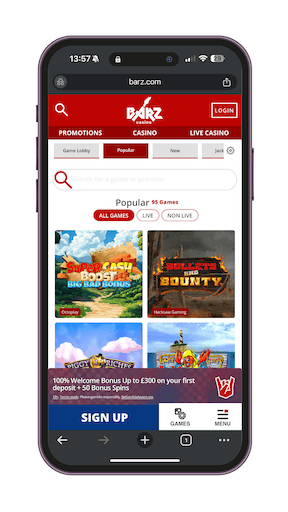
Sign in through the official website
Open the official Barz Casino website using a trusted browser and sign in with your usual credentials. Avoid links in unexpected emails or messages. If you are searching for barz casino log in without app, use the casino’s verified website rather than an unfamiliar third-party page. You do not need to install an app simply to look for account settings or contact support, unless the operator’s current instructions say otherwise.
If you cannot access the site, check that you have entered the correct username and password, and use the official password-recovery process if necessary. Never send your password or one-time verification code to a person claiming to be support.
Look for account or responsible-gambling settings
Once signed in, check the profile, account, privacy, or responsible-gambling sections. Some gambling websites provide a direct closure option; others require a request to customer support. If you see a temporary time-out or self-exclusion control, read its duration and effect carefully. Those tools may restrict access without deleting the account.
Contact customer support if there is no closure button
Use the support channel listed on the official site, such as live chat, a contact form, or the published support email address. State plainly that you want your account closed. If your reason is gambling-related, say whether you want permanent self-exclusion rather than an ordinary account closure. This distinction can matter because a standard closure may not prevent a new account from being opened, whereas self-exclusion is intended to impose a stronger restriction.
Keep the message brief and factual. Include the username or registered email address, but provide identity documents only through a secure channel requested by the operator. Ask for a case number or written confirmation.
Resolve balance and pending transactions
Ask support to explain the status of any remaining balance, pending withdrawal, bonus funds, or unsettled wager. Follow the operator’s stated verification procedure, and make sure the payment method is in your own name where required. Do not create another account to try to move funds or bypass a restriction; that can complicate verification and may conflict with the site’s rules.
Request written confirmation
After submitting the request, ask Barz Casino to confirm whether the account is closed, blocked, or self-excluded, and when the change takes effect. Save the confirmation and any reference number. If support says the request is still being processed, ask what information is outstanding and when you should follow up.
Sample Message to Customer Support
You can adapt this template to suit your situation:
Hello,
I am the account holder for the Barz Casino account registered to [your registered email or username]. I would like to request closure of my account. Please tell me how any remaining eligible balance or pending transactions will be handled, and confirm whether you need further verification.
If available, please also explain how I can apply self-exclusion and whether that is different from standard account closure. Please confirm in writing when the request has been completed.
Thank you.
If you are closing the account because gambling is becoming difficult to control, you can instead state that directly and request self-exclusion. You do not need to provide a detailed personal explanation to ask for help.
Account Closure, Time-Out, and Self-Exclusion
These options are not necessarily interchangeable. Account closure may simply end your access to a particular account. A time-out is usually a temporary break, while self-exclusion is designed to prevent gambling for a chosen period or longer, subject to the operator’s available tools and procedures. Before choosing, ask what each option blocks, how long it lasts, and whether it can be reversed.
For New Zealand players, it is also sensible to check the current rules and support resources that apply to your circumstances. If you are worried about gambling, consider talking with someone you trust and contacting a recognised gambling-harm support service in New Zealand. If you feel at immediate risk, seek urgent local assistance.
What Happens to Personal Data?
Closing an account does not always mean that every piece of personal information is erased immediately. An operator may need to retain some records for legal, security, dispute-resolution, or financial purposes. You can ask Barz Casino what information will be retained, why it is retained, how long it may be kept, and whether any data can be deleted or restricted under the policies and rules that apply.
Do not include sensitive documents in an ordinary email unless the operator specifically directs you to a secure method. If you receive a request for additional identity checks, verify that it comes through an official support channel before sending anything.
Common Problems and Practical Checks
- No reply from support: Check spam and junk folders, then follow up through another official contact method. Include the original request date and any case number.
- You cannot sign in: Use the official recovery process or contact support from the email address registered to the account. Explain that you want closure and cannot access the profile.
- A withdrawal is pending: Ask support whether verification or other steps are needed. Keep the transaction reference and avoid submitting duplicate requests unless instructed.
- You keep receiving promotions: Ask support to stop marketing messages. You may also use the unsubscribe link in a legitimate promotional email, while keeping essential account notices separate.
- You want a complete break: Ask specifically about self-exclusion and consider blocking gambling websites or payment routes where suitable. A standard account closure may not block access to other gambling sites.
Questions and Answers
Can I delete my Barz Casino account from the website?
Possibly. Check the account and responsible-gambling settings first. If there is no closure option, send a request through the support channel listed on the official site and ask for written confirmation.
Do I need an app to close my account?
Not necessarily. You can generally start by signing in through the official website or contacting support through its published channels. Confirm the current process with the operator, and avoid unofficial apps or links.
Will I lose money left in my account?
Do not assume either way. Ask support to confirm whether any balance is withdrawable and what must happen to pending transactions or bonus funds before closure. The applicable terms and verification status may affect the process.
Can I reopen a closed account?
That depends on the type of restriction and the operator’s current rules. A normal closure, time-out, and self-exclusion can have different reopening conditions. If you are using self-exclusion, do not try to bypass it by creating another account.
How do I know the closure is complete?
Ask for written confirmation that specifies whether the account is closed or restricted and the effective date. Keep that message with your records.
Final Checklist for NZ Users
- Review your balance, pending withdrawals, and open activity.
- Check Barz Casino’s current account and responsible-gambling settings.
- Contact support through an official channel and state exactly what restriction you want.
- Complete only the verification steps requested through a secure method.
- Ask about personal-data retention, marketing messages, and outstanding transactions.
- Save written confirmation and seek local support if gambling is causing harm.
A clear request and a saved confirmation make the account-closure process easier to track. Take time to distinguish ordinary closure from self-exclusion, and ask Barz Casino to explain any balance or data questions before you consider the matter complete.